Get VMware Guest OS List With PowerCLI
What it does...
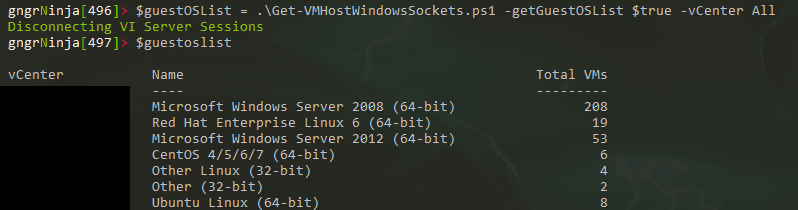
This function I wrote will return an object which contains the unique name of each OS for guests on a vCenter server. It will also show you the total number of VMs with that OS.
What it needs to run...
This function takes the parameter $vCenter. This should be the name of a vCenter server in your environment. You can also call the function as part of a foreach loop if you have multiple vCenter servers, running it once for each server and then returning that into another variable.
The Code:
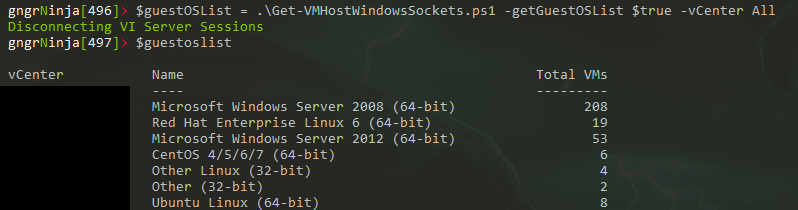
Here is some example output (I tested it within another script I wrote).
I blacked out the vCenter server name for security reasons.
Here is an example of the code I use to wrap it:
In this example the variables that already exist are:
$vCenterServers (this is an array of my vCenter servers)
$vCenter (this is a parameter of my main script, the value of "all" is what the example below shows)
$getGuestOSList (this is a boolean parameter my script uses. What you see below is what happens if it is $true)
The below code will go through each of the individual vCenter servers and use the function above to build the variable $guestOSObjects with the output.
Comments
No comments yet. Be the first!