PowerShell: List out your PuTTY sessions
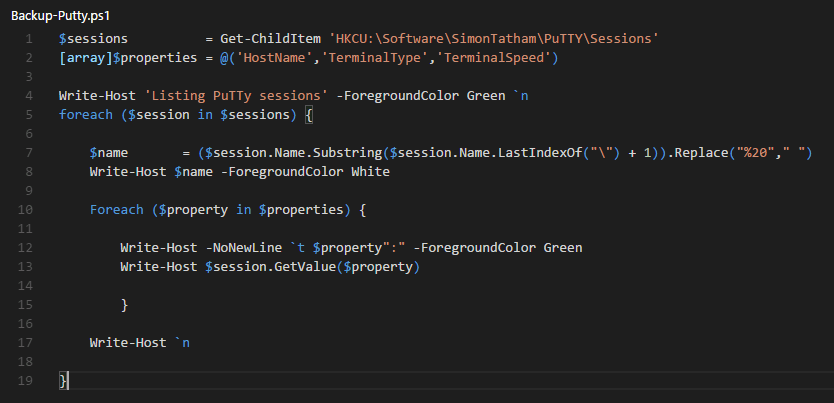
I wanted a way to export my PuTTY sessions as I was about to reformat my machine. You could export the registry keys and keep them, but I wanted something more visual as well. So I turned to my dear old trusty friend, PowerShell.
What you'll need
- PowerShell
- PuTTY installed with at least one session
- The ability to overlook Write-Host as an always bad thing
- It's only mostly always bad, ok? But I wanted some formatting and colors
- I'm only judging myself a little bit.
- It's only mostly always bad, ok? But I wanted some formatting and colors
Let's jump into it! (The code)
There isn't too much to this one, but it's also the tip of the iceberg. I chose to make it more human readable as if you simply did this:
Get-ChildItem HKCU:\Software\SimonTatham\PuTTY\Sessions
The output is all of the key's properties:
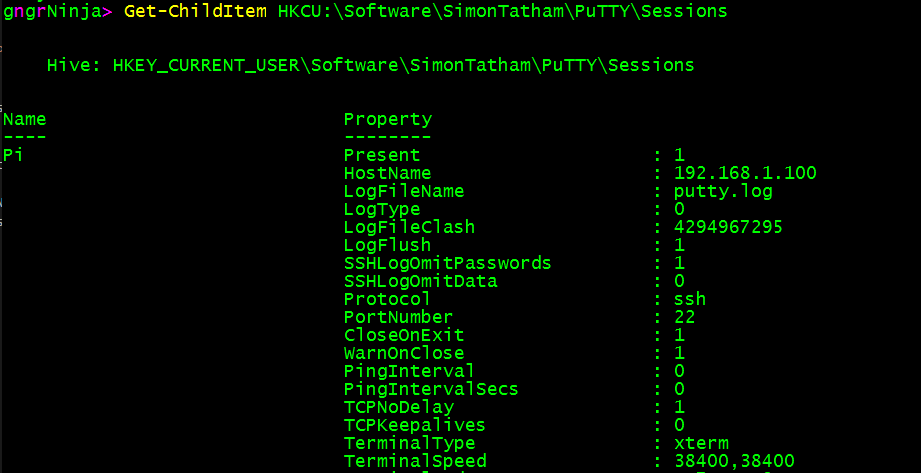
So what I did is cherry picked some of the values I wanted to display.
[array]$properties = @('HostName','TerminalType','TerminalSpeed')
I then used a foreach loop to go through each property listed and display it for that session.
Foreach ($property in $properties) {

Write-Host -NoNewLine `t $property":" -ForegroundColor Green
Write-Host $session.GetValue($property)

}
The execution
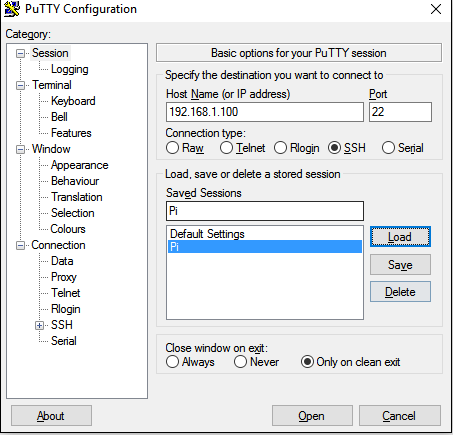
My PuTTY session is pretty lonely, but just one will work!
PowerShell code execution:
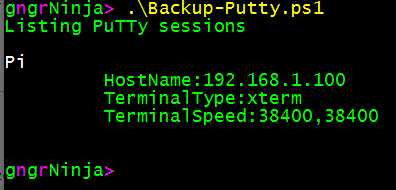
I named my script Backup-Putty.ps1 as I initially made it as a way to get a quick human readable copy and paste of the sessions I cared about. With more effort you could easily make this script output the list into a CSV and store it that way.
Comments
No comments yet. Be the first!