Python: Simple Rest API Example and String Formatting
Rest API / String Formatting in Python
My girlfriend has gone on a research trip recently! Normally I wouldn't start my blog posts out that way, however, it's relevant. Her research vessel actually has some data available, publicly, here: http://webcam.oregonstate.edu/tracker/.
There's some cool data there:
- Temperatures
- Depth
- Wind
- Latitude
- Longitude
I initially thought this was going to be an endeavor in web parsing, but then I looked at the source of the website. I eventually came across this nifty javascript function they are using:
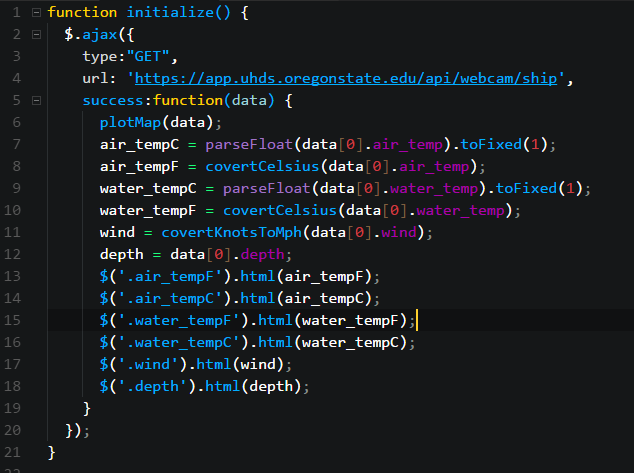
Particularly handy is the URL: https://app.uhds.oregonstate.edu/api/webcam/ship. I am more familiar with PowerShell than Python, so just to test it out before I learned how to get the data in Python, I used PowerShell to see what data was available.
This was an extremely simple, yet validating part of the equation.
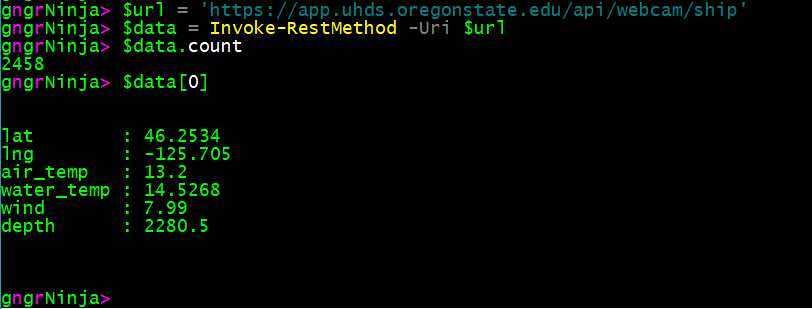
Sweet! That's what we want. Well, what I was looking for.
To make this work in Python, I needed to do a few things.
- Get the data, preferably as JSON/a dictionary in Python
- Convert Celsius to Fahrenheit
- Convert Knots to Mph
- Format the data and print it out
For this to work, we need to use the requests library in Python. So the very first line we'll need is:
To get the data , I built out this function:
First, I start out by storing the URL we used earlier in the variable ship_api_url:
ship_api_url = "https://app.uhds.oregonstate.edu/api/webcam/ship"
Then, I make the request and store the results:
request_data = requests.get(ship_api_url)
And finally, I return the results as a dictionary from the request converted to JSON:
return request_data.json()
I wanted to test out what I had so far, so our script looks like this:
Annnd the results:

Now to get to work!
Now it was time to start converting some of the values.
I made a function that converts Celsius to Fahrenheit, and then one that converts knots to mph.
First I needed the math:
C to F conversion:
9.0 / 5.0 * temp_in_c + 32
Knots to Mph conversion:
1.1507 * knot
With that in mind, here is the code for the two functions I made:
I added in some rounding there to ensure we only get up to two decimal places.
The last step for me was to format all of the data, and present it how I wanted it to be presented. To do this I created a function that takes the data and formats it.
It uses a multi line string plus the string format method at the end so I could insert the values that I wanted.
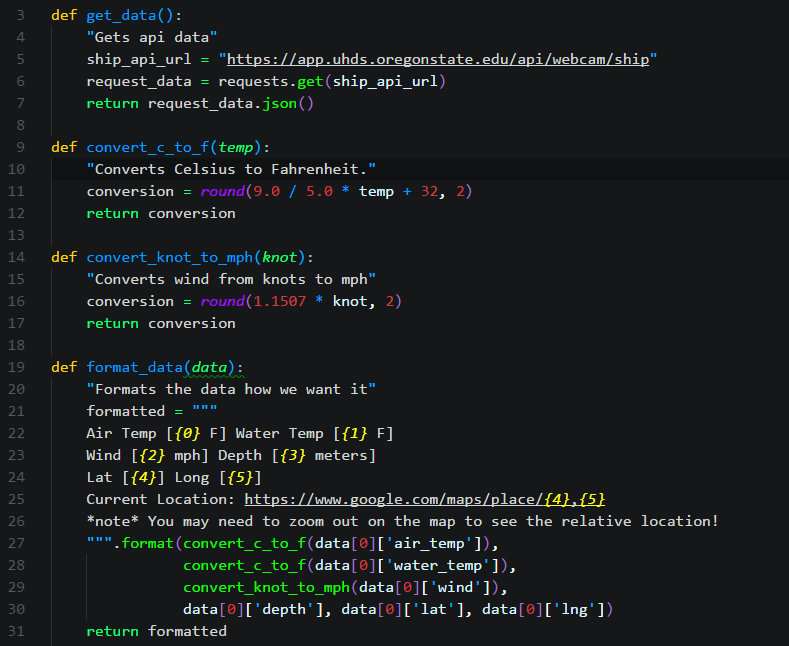
Here's the function I created for that:
You can see in the above code snippet that I used the first value of the data array, and for some of the values used the appropriate conversion functions we created earlier.
So what's it look like, now?
Here's all of the current code:
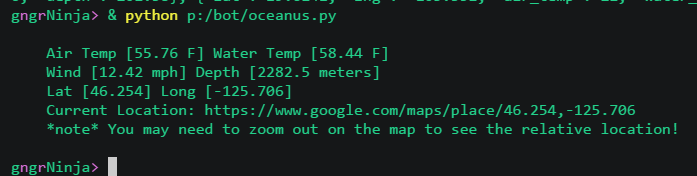
And after running it, here are the results:
I had two goals in doing this.
- Learn a little bit more Python
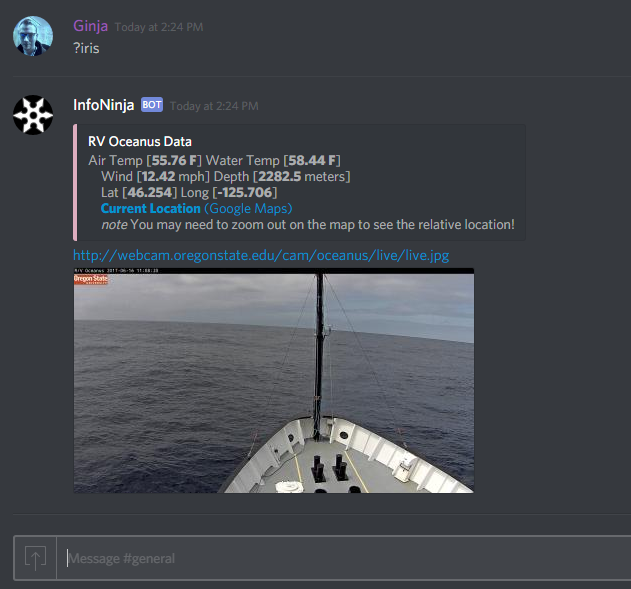
- Make a command for my Python Discord bot that displays the ship's data, as well as the current web cam image (as the website only displayed one OR the other)
I used what we created above, and added a command to my bot which displays the data and the image! Here is the result of that:
Have a question, or know of a different way to achieve the same results? Leave a comment and say hi!
Comments
No comments yet. Be the first!