PowerShell: Fun with Weather Underground's API (part 1)

Free APIs can be fun!
After doing some work with the Victor OPs API, I personally wanted to see what else was out there. I haven't messed with APIs too much in the past, but now I'm all about it. I'm a bit of a weather geek so I was excited when I found out that Weather Underground has one available for free!
What I've done so far
So far I've created a script that can:
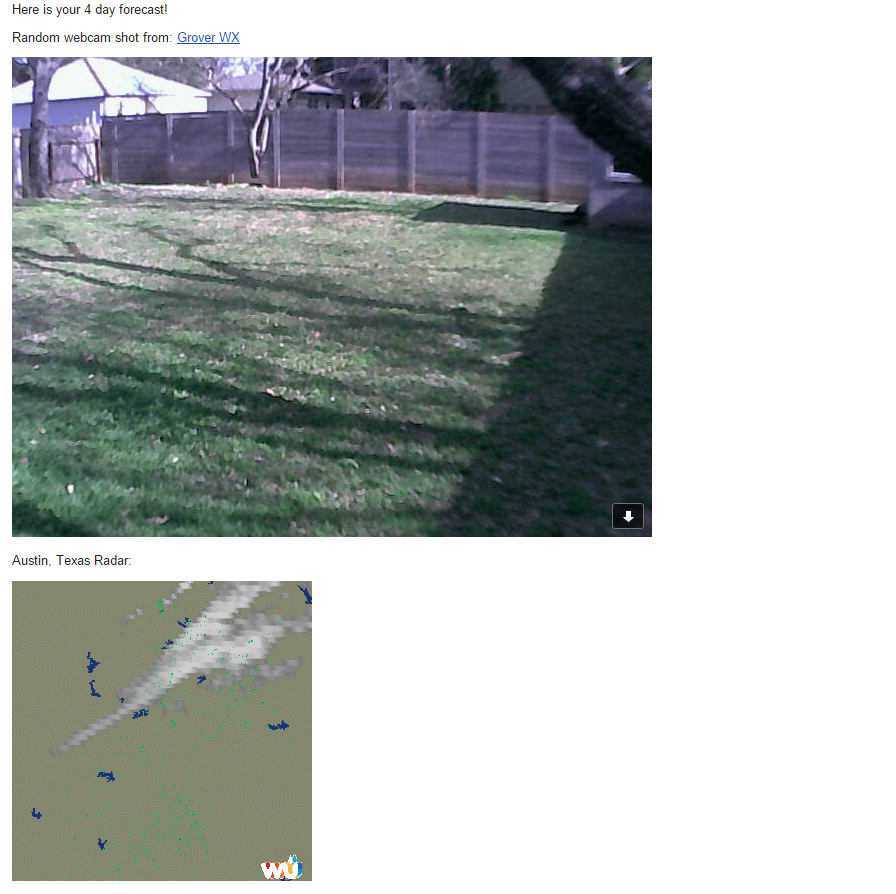
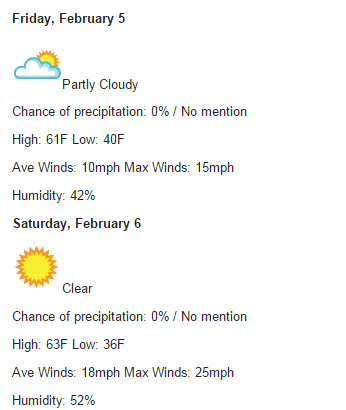
- Email you an HTML email with the following:
- Hourly/4 day weather forecast
- Current (randomly selected) webcam shot from the city you specified
- Radar animated gif
- Email a Squarespace gallery with a random camera shot from the city you specify.
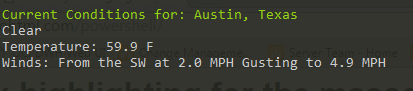
- Return (in PowerShell) the forecast for the city you specify
I'm thinking of things to add to it all the time now... like perhaps an alert check on an interval that sends you a text if there is a weather alert.
I'm doing all this to learn the ins and outs of handling APIs with PowerShell, as well as to feed my inner weather and script geek.
Getting started
This post will be a multi part post. For this portion I will stick to the part that you don't even need and API key for! (Although, you may want to grab one, here)
Requirements
You'll need to setup the following variables:
- $apiKey (Can be blank now or just 'yourAPIKeyHere') as it is not actually needed yet.
- $city (Specify a city you'd like to look up using their free autocomplete API)
- $baseURL = 'http://api.wunderground.com/api/'
The Code
Results / Going forward
If you put the above code in a script and run it, the results will be the API URLs it found for the first city it returns. If you want to narrow down it for a different $city, you'll need to specify 'City, State'.
Here are the results for $city = 'Portland'

If you want to get a jump start on this and you have your API key, check out the API documentation from Weather Underground!
Here is a teaser of what can be done (all via PowerShell!):
Let me know if you have any ideas or comments!
-Ginger Ninja
Comments
No comments yet. Be the first!