PowerShell: Working with CSV Files
Why did I want to do this?
I wanted to learn how to manipulate CSV files for logging purposes as well as for part of a script I was writing to email out a different quest each day.
In particular I wanted to see if today was completed, and if not, update it to say so and then add the next day with Completed = No.
The setup
This function is part of a larger script that I'll write a post about after covering more of the basics.
You'll need the following things to get it running:
A file named runlog.csv in the same folder with the following contents:
““DateTime”,”Day”,”Completed”
”1/18/2016”,”1”,”No””
Preferably you'll want the first DateTime to match the current date, and day to start at 1. The script should be able to catch a gap in the DateTime and continue on, however.
Now you'll need to setup the following variables:
How to call the function
You'll want to call the function like so:
At the beginning of the script you'd want something like:
The code (let's put it all together!)
The results
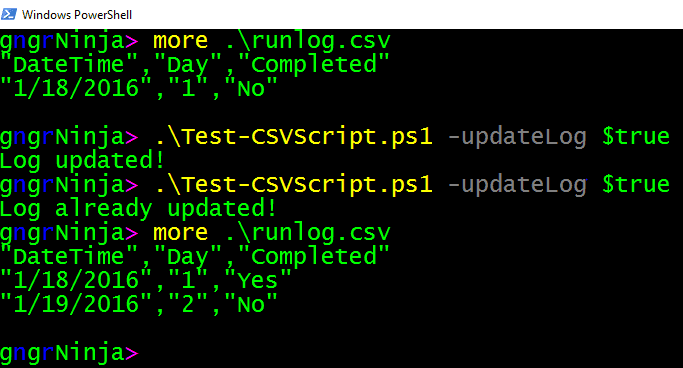
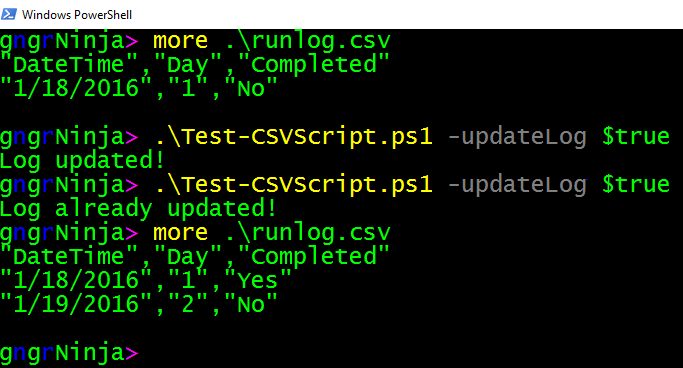
Here are the results of me testing the script.
More on how it works coming up!
Please let me know what you think or if you have a quicker way to accomplish the same thing.
One of the things I love about PowerShell are the different ways to accomplish the same thing. That's the best way to learn.
Comments
No comments yet. Be the first!